Amenities & services
Amenities
Extra hangers
Mini fridge
Dyson ventilator
Extra pillow
Extra chair
Iron & ironing board
Steamer
Baby cot
Dog bed & bowl
Little Extras
Umbrella
Sewing kit
Toothbrush
Slippers
Bathrobe
Sleep mask
Earplugs
Keepin' It Cool
How to operate the A/C
How it works
Each room is equipped with a passive cooling system designed to meet strict environmental standards. It's energy-efficient and completely silent — a comfortable indoor climate without the noise or direct airflow of a conventional air-con unit. The lowest temperature setting is 17.5°C.
Change the temperature
Tap the right side of the panel to raise the temperature. Tap the left to lower it. Arrows appear on the display when a change is registered.
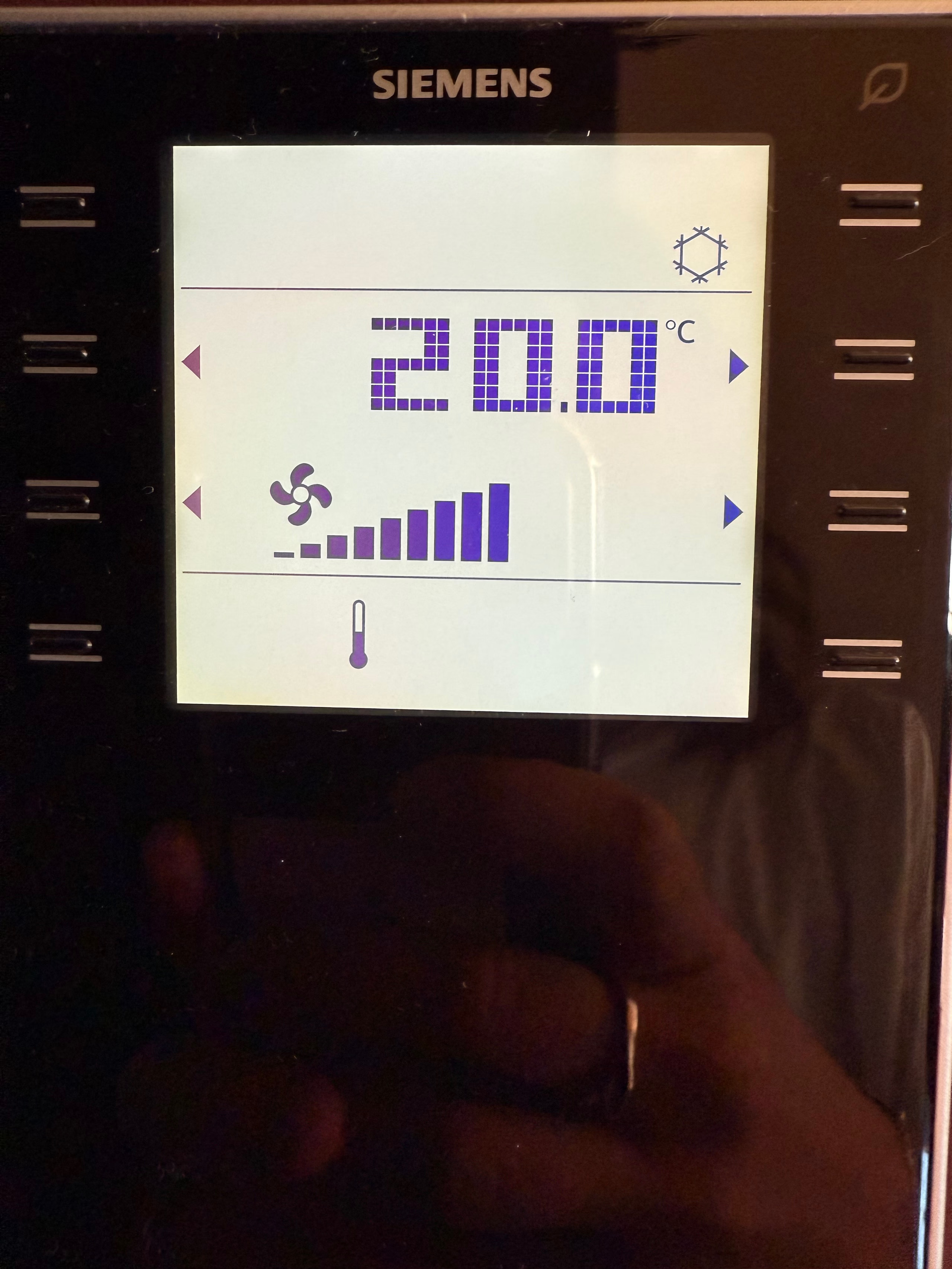
Change the mode
Tap the right side to increase fan strength, the left to reduce it. Three settings in total: Off, On — Auto, On — Manual.
Want more airflow?
We're happy to provide an extra standing fan on request at reception. In compliance with local regulations, the system is calibrated to maintain a maximum temperature difference of 7°C between the room and the outside air.

The Art of the Switch
How to operate the lights
The main switch
Located near the entrance. Controls the main power in your room — all lights, the A/C, and power outlets. Turning it off cuts power to most devices.
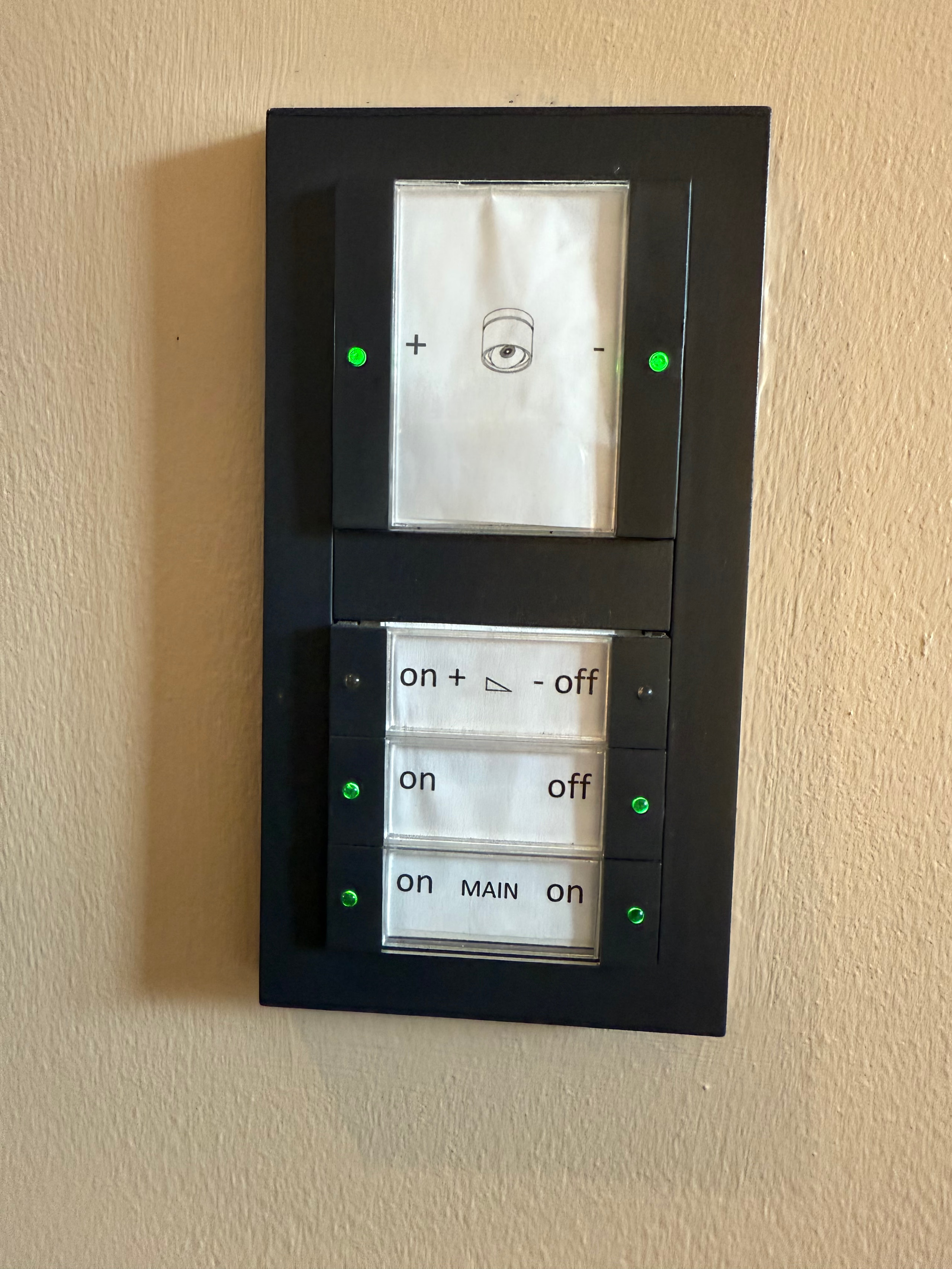
Room light panel
A central lighting control panel in the room. Use it to turn the ceiling lights, desk lights, and other room lighting on or off with a tap.
Bathroom light panel
A dedicated panel inside the bathroom controls the mirror lighting and the wall-mounted bulb.
Bedside reading lamps
Controlled by a small switch on each lamp — perfect for reading at night without lighting up the whole room.
Designer lamps
If a light isn't responding to the panels, you might have discovered one of our unique designer lamps. They have their own manual switch, typically found on the base or cord.

Play Your Stay
How to operate the TV
Switch on
Press the power button on the remote. The TV menu shows four options — television, apple, android, information.
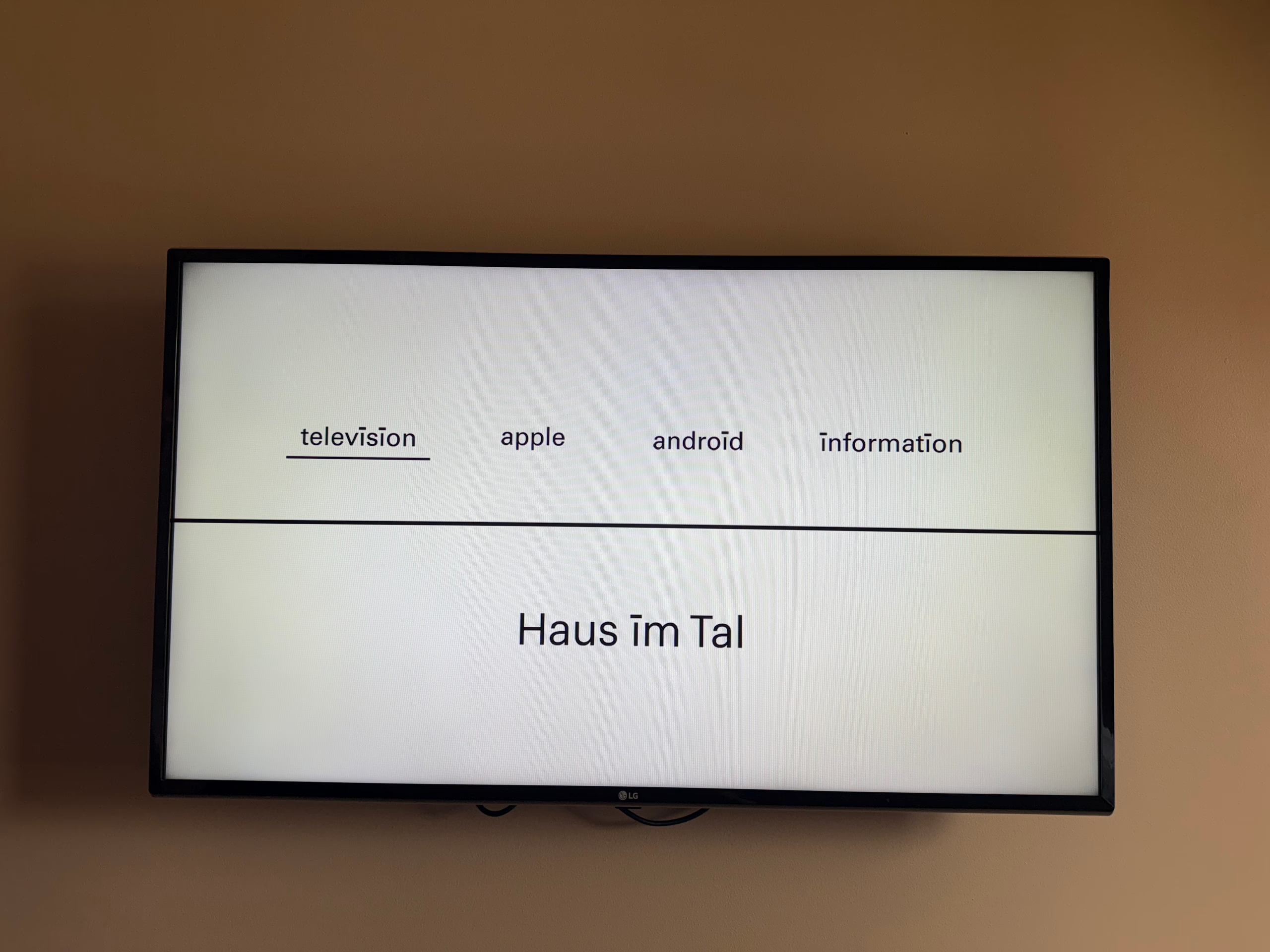
Watch regular TV
Select Television from the menu — German cable is ready to go.
Stream from an Apple device
Select Apple on the TV menu. Make sure your iPhone, iPad or MacBook is on the "Haus im Tal" Wi-Fi (not ATV). On your device, open AirPlay from the content you want to stream, choose your room number from the list, and enter the 4-digit code shown on the TV.
Stream from Android or Windows
Select Android on the TV menu. Connect your device to the "Haus im Tal" Wi-Fi (not ATV), then use screen mirroring or cast and pick "LG TV" from the list of available devices.
A note on Netflix
Netflix is currently not available on our in-room TVs.